
Service Parts
Need a replacement part? We can help.
Ordering Service Parts
You've come to the right place for ordering InterMotive products and replacement parts that are no longer working and not under warranty.
All InterMotive products and service parts are sold through our master distributor, LGS Group, Inc.
Replacement Service Parts:
CONTACT
orders@lgs-group.com
775-831-2002 option 2
FAQs on Service Parts
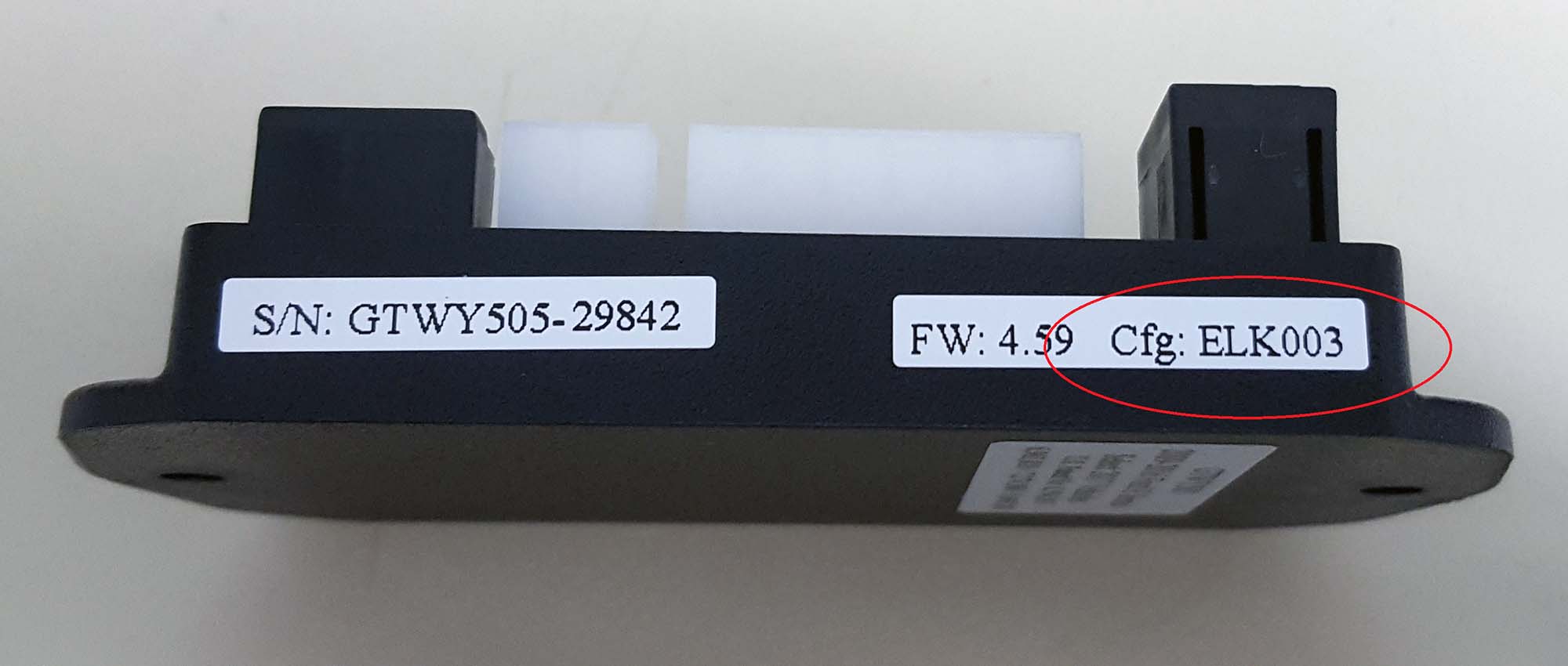
Also known as a Conf., Cfg., Cal. or programming number. It is located on the side of the module, the right-hand side sticker up at the top.
Below are example photos with the number circled:

The transmission code is noted on the VIN label. Below is an example photo with the transmission code circled.

However, some vehicles are labeled as a U transmission but actually have an E transmission. Here's how to tell:
- If the transmission code is an E, then when the doghouse is pulled off, there should be both a GREY CIRCLE 4-Pin connector and a square connector. We will connect to the GREY CIRCLE.
- If the transmission code is a U, there will be two BLACK SQUARE 16-Pin connectors. If it is a U, then we will need to verify that there is the black square with the 16-Pin.
- View a sample transmission diagram for reference.
- If the transmission code is none of the options listed, then you will NOT need a trans harness at all.
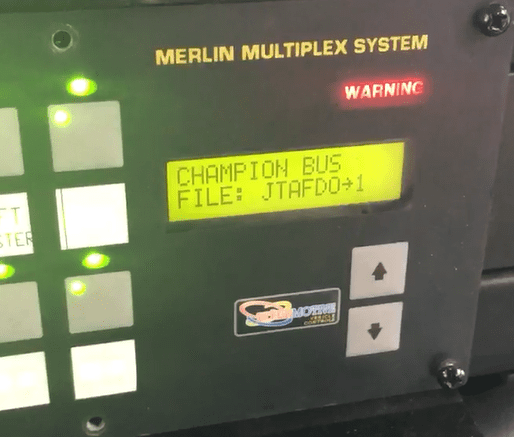
- Turn the vehicle ignition on.
- Watch the Intelligent Switch Panel screen.
- After approx. 5 seconds, the file name will appear.
- If you miss the file name, turn off the ignition and repeat steps 1-3.
See example below:
Didn't find your answer?
Contact Sales Support.